
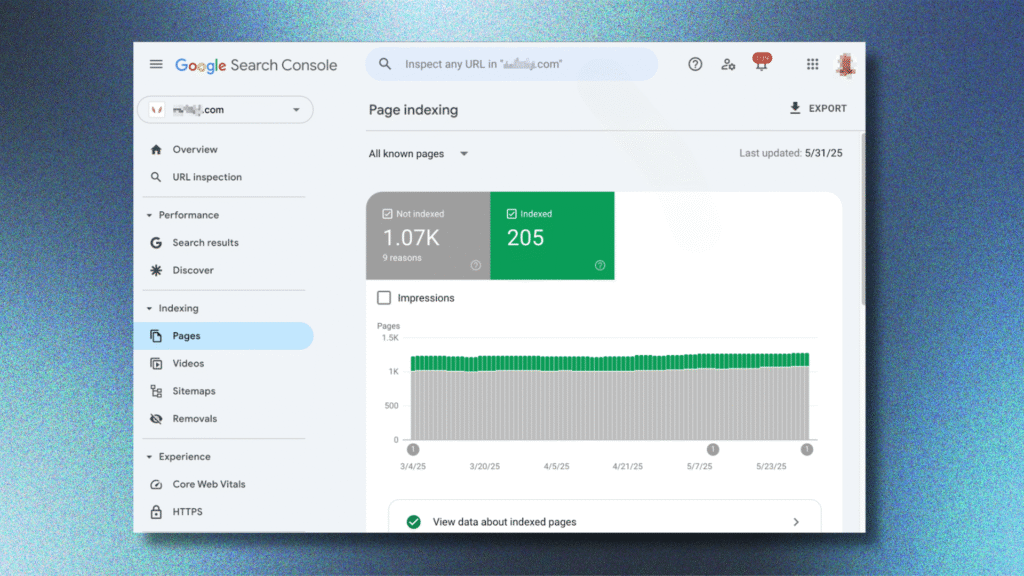
You just hit publish on a new blog post. Now what? If Google hasn’t indexed it, nobody will find it in search.
Indexing is the step before ranking. Without it, your post stays invisible, no matter how good it is.
The good news? You can speed this up. Let’s walk through exactly how to get your blog indexed by Google fast, step by step.
What Does “Indexed” Actually Mean?
Before we jump into tips, let’s clear up the basics. Indexing means Google has crawled your page and added it to its database.
Once indexed, your post becomes eligible to show up in search results. Before that happens, it simply doesn’t exist to Google.
Here’s the typical journey:
- Google’s bots crawl your site.
- They read and understand your content.
- They add the page to Google’s index.
- Only then can your post rank for keywords.
Indexing can happen in minutes or take weeks. It depends on your site’s authority, structure, and a few technical factors we’ll cover below.
If you’re new to SEO overall, our complete guide on SEO for Bloggers: The Complete Guide to Growing Your Blog with Search Traffic covers the full picture. This article focuses specifically on speeding up indexing.
Why Fast Indexing Matters
Every day your post sits unindexed is a day of lost traffic. For time-sensitive topics, this delay can hurt even more.
Fast indexing helps you:
- Start ranking sooner, especially for trending topics.
- Get real user feedback and engagement data quicker.
- Beat competitors who publish similar content later.
- Validate your content strategy faster.
For new blogs especially, slow indexing can feel discouraging. Thankfully, there are proven ways to speed things up.
Submit Your Blog To Google Search Console
This is the single most effective step. Google Search Console lets you directly request indexing.
Here’s how to do it:
- Sign up for a free Google Search Console account.
- Verify ownership of your website.
- Go to the URL Inspection tool.
- Paste your new blog post’s URL.
- Click “Request Indexing.”
This tells Google directly: “Hey, come check this out.” It doesn’t guarantee instant indexing, but it speeds up the process significantly.
Do this every time you publish a new post. It takes less than a minute and makes a real difference.
Create And Submit An XML Sitemap
A sitemap is like a map of your entire website. It lists every important page so Google can find them easily.
Steps to set this up:
- Generate an XML sitemap using your SEO plugin (like Yoast or RankMath).
- Find your sitemap URL, usually yoursite.com/sitemap.xml.
- Submit this URL inside Google Search Console.
- Update the sitemap automatically every time you publish.
Most modern CMS platforms and plugins do this automatically. Still, double-check your sitemap is submitted and error-free.
A clean sitemap helps Google crawl your site faster and more thoroughly. It’s a small technical step with a big payoff.
Strengthen Your Internal Linking
Google finds new pages by following links. If your new post isn’t linked from anywhere, it’s harder to discover.
Here’s what to do:
- Link to your new post from at least 2-3 older, established posts.
- Use natural, descriptive anchor text, not generic phrases like “click here.”
- Link from high-traffic pages when possible, since they’re crawled often.
- Add your new post to relevant category or hub pages.
Internal linking does double duty. It helps Google discover your content faster, and it helps readers navigate your site better.
Think of your best-performing pages as trusted messengers. When they point to something new, Google pays attention.
Build Quality Backlinks
Backlinks are links from other websites pointing to yours. They act like votes of confidence, and they attract crawlers.
Simple ways to earn backlinks quickly:
- Share your post directly with people you mentioned or quoted.
- Reach out to sites that cover similar topics.
- Repurpose your post into a guest article with a link back.
- Answer relevant questions on forums like Quora, linking where helpful.
Even one or two solid backlinks can trigger faster crawling. Google follows links from other sites just like it follows your internal links.
Avoid spammy link-building tactics. Low-quality backlinks can slow you down or hurt your site’s trust with Google.
Publish Fresh, High-Quality Content Consistently
Google crawls active websites more often. If you publish regularly, bots visit your site more frequently too.
This doesn’t mean publishing daily. It means staying consistent, whether that’s weekly or biweekly.
Quality still matters more than frequency. A single well-researched post beats five rushed, thin articles.
Focus on:
- Answering a clear question or solving a specific problem.
- Using original insights, not rehashed information.
- Structuring content with clear headings and short paragraphs.
- Keeping your writing genuinely useful to readers.
Google rewards sites that consistently deliver value. Over time, this builds trust, and trust speeds up indexing.
Improve Your Site’s Technical Health
Sometimes, indexing delays come down to technical issues. A slow or broken site confuses crawlers and wastes their time.
Quick technical checks:
- Make sure your site loads fast, ideally under 3 seconds.
- Check that your robots.txt file isn’t blocking important pages.
- Fix broken links and 404 errors regularly.
- Ensure your site works well on mobile devices.
- Use HTTPS, since Google prioritizes secure sites.
Google gives each site a “crawl budget,” meaning a limited number of pages it crawls regularly. Technical issues waste this budget on low-value pages.
Cleaning up your site’s health means crawlers spend their time where it counts, on your new content.
Share Your Post On Social Media
Social shares don’t directly boost rankings. But they do get your new content in front of people fast.
When people click and engage with your post, it creates activity around your URL. This activity can indirectly speed up discovery.
Simple sharing strategy:
- Post your new article on all your active social platforms.
- Share it in relevant Facebook groups or communities.
- Send it to your email list, if you have one.
- Encourage early readers to share or comment.
Think of this step as creating buzz. More eyes on your content often means faster signals back to Google.
Common Mistakes That Slow Down Indexing
Sometimes, without realizing it, bloggers accidentally block their own progress. Watch out for these common issues.
- Duplicate content. Copying content from other sites confuses Google and can prevent indexing.
- Thin content. Very short, low-value posts often get ignored or delayed.
- Blocked pages. Accidentally setting a page to “noindex” stops it from showing up entirely.
- Poor site structure. Pages buried too deep in your site are harder for bots to find.
- Ignoring mobile usability. Google primarily uses mobile-first indexing now.
Double-check these basics before assuming indexing is simply “slow.” Sometimes, the fix is a quick technical correction.
How Long Does Indexing Actually Take?
There’s no fixed timeline, but here’s a general idea:
- Established, authoritative sites: Often indexed within hours.
- Newer or smaller blogs: Usually a few days to two weeks.
- Sites with technical issues: Can take weeks, or may not index at all.
If it’s been over two weeks with no indexing, revisit the steps above. Something in the checklist is usually the culprit.
Patience helps, but proactive steps help even more. Don’t just wait around; take action using the tips above.
How To Check If Your Post Is Already Indexed
Before troubleshooting, confirm whether your post is actually indexed. This takes less than a minute.
Two easy ways to check:
- Search “site:yourblog.com/your-post-url” directly in Google.
- Use the URL Inspection tool inside Google Search Console.
If your post shows up in search results, it’s indexed. If Search Console says “URL is not on Google,” it isn’t yet.
Checking first saves you time. You’ll know exactly whether you need to troubleshoot or simply wait a bit longer.
Make this check part of your regular publishing routine. It only takes a moment, but it keeps you informed.
Turn This Into A Repeatable Process
The real win here isn’t fixing one slow post. It’s building a habit that works every time you publish.
Create a simple checklist for every new post:
- Request indexing in Google Search Console.
- Confirm the post appears in your sitemap.
- Add 2-3 internal links from older, relevant posts.
- Share the post across your social channels.
- Check indexing status after 48 hours.
Following the same steps each time removes the guesswork. Over time, you’ll notice your blog gets indexed faster overall, not just for individual posts.
Consistency also builds trust with Google. The more reliably you publish quality content, the more often crawlers return on their own.
Use RSS Feeds To Your Advantage
Most blogging platforms generate an RSS feed automatically. Google’s crawlers often check these feeds for updates.
To make the most of this:
- Make sure your RSS feed is working and up to date.
- Submit your RSS feed URL inside Google Search Console, if supported.
- Use plugins or services that “ping” search engines when you publish.
This step works quietly in the background. It’s not a replacement for manual indexing requests, but it adds another discovery path for crawlers.
Small technical details like this add up. Together, they create more ways for Google to notice your content quickly.
Final Thoughts
Getting your blog indexed by Google fast comes down to a few consistent habits. Request indexing manually, keep your sitemap updated, and build strong internal links.
Combine this with quality content and a healthy, fast-loading site. Together, these steps create the best conditions for quick indexing.
For a broader strategy on ranking and growing your blog’s search traffic long-term, check out our full guide: SEO for Bloggers: The Complete Guide to Growing Your Blog with Search Traffic.
FAQs
-
How long does it take Google to index a new blog post?
It varies. Established sites may see indexing within hours. Newer blogs often take a few days to two weeks.
-
Does requesting indexing in Search Console guarantee faster results?
Not always, but it usually speeds things up. It directly notifies Google to crawl your page sooner.
-
Why isn’t my blog post getting indexed at all?
Common causes include duplicate content, thin content, blocked pages, or accidental “noindex” tags on the page.
-
Do backlinks really help with indexing speed?
Yes. Google follows links from other websites, so backlinks can help crawlers discover your content faster.
-
Does site speed affect indexing?
Yes. Slow or technically broken sites waste crawl budget, which can delay how quickly new pages get indexed.
-
Is social media sharing important for indexing?
It doesn’t directly affect indexing, but it drives traffic and engagement that can indirectly support faster discovery.