
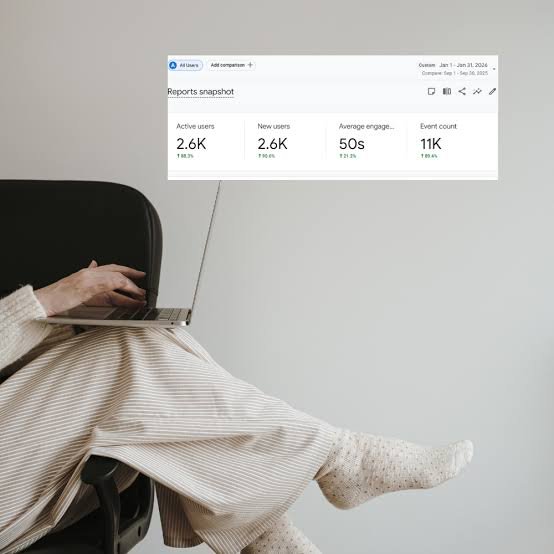
You hit publish. The post looks great. You feel proud. Then you wait.
A few days later, your traffic report shows almost nothing. Sound familiar?
Here’s the truth. Publishing is only half the job. A new post can’t find readers by itself. It needs a push.
In this guide, you’ll learn how to promote blog posts without a big budget or a huge following. Every step is simple. You can start today.
This article is part of our series on content marketing for bloggers. That pillar guide shows the full picture of growing traffic and authority. Here, we zoom in on what to do right after you publish.
Why Promotion Matters More Than Publishing
Most new bloggers publish often and promote rarely. That’s a costly habit.
Think about the hours you spent researching and writing. A few extra hours of promotion protect that effort.
Promotion does three things for you:
- It brings your first readers quickly.
- It shows early signs that people care about the post.
- It builds links and relationships over time.
Search engines also need time to understand a new page. Early visits from email, social media, and communities help fill that gap. Meanwhile, your SEO slowly kicks in.
The goal isn’t to go viral. The goal is steady, repeatable attention. Treat each post like a small launch. Then run the same checklist every time.
Step 1: Get Your Post Ready to Be Shared
Good promotion starts before you share anything. A weak post with a weak headline won’t spread, no matter how hard you push it.
Polish Your Headline and Intro
Your headline is your first ad. Make it clear and specific. Promise one useful result.
Your intro matters too. Visitors decide in seconds whether to stay. Open with the problem your reader has. Then show them you have the fix.
Make Sharing Effortless
Readers share when it takes one click. Add simple share buttons near the top and bottom of the post.
Also create a custom image for social sharing. Set the title and description that appear when someone pastes your link. A clean preview gets more clicks than a plain link.
Add Internal Links Right Away
Link your new post to related older posts. Then go back and link older posts to the new one.
This helps readers move through your site. It also helps search engines find the new page faster. If you want to see how this fits a bigger plan, read our pillar guide on growing traffic and authority.
Step 2: Share It With Your Own Audience First
Your warmest audience is the one you already have. Start there.
Send It to Your Email List
Email is still the most reliable channel you own. Social algorithms change. Your list doesn’t.
Write a short email, not a copy of the whole post. Use this simple format:
- A subject line that sparks curiosity.
- Two or three sentences about the problem.
- One clear button that links to the post.
Send it within a day of publishing. Then add a reminder in your next newsletter for people who missed it.
Post on Social Media With a Plan
Don’t just drop a link and walk away. Each platform likes different content.
- Facebook: Share a short story or question, then add the link.
- Instagram: Post a carousel with key tips and point to the link in your bio.
- LinkedIn: Share one lesson from the post in a few short paragraphs.
- X (Twitter): Post a thread with your best three points.
Don’t copy and paste the same message everywhere. Adjust the tone and format for each place. Your followers will notice the effort.
Pin It on Pinterest
Pinterest works like a search engine for ideas. Pins can bring traffic for months or even years.
Create two or three vertical images for each post. Use clear text on the image. Write a keyword-rich pin description. Then save the pins to relevant boards.
Step 3: Repurpose One Post Into Many
One blog post holds more content than you think. Don’t let it sit in one format.
Here are easy ways to reuse it:
- Turn the main steps into a short video or Reel.
- Make a carousel from your top five tips.
- Pull three strong quotes for image posts.
- Record a short audio clip or podcast episode.
- Build a simple checklist as a free download.
Each version points back to the original post. That means more doors leading to the same room.
Repurposing also saves time. You already did the hard thinking. Now you’re just changing the packaging.
Space the pieces out over a few weeks. This keeps your post visible without feeling spammy. It also catches people who scroll at different times.
Write Hooks That Stop the Scroll
The first line decides everything. Most people scroll fast. Give them a reason to pause.
Try these hook styles:
- Ask a question your reader already asks.
- Share a surprising lesson you learned.
- Promise a quick win, like “Do this in ten minutes.”
- Call out a common mistake.
Keep the hook short. Add one line about the value inside the post. Then finish with a clear link.
Step 4: Go Where Your Readers Already Hang Out
Your audience is gathering somewhere right now. Find those places and show up helpfully.
Join Communities the Right Way
Look for Facebook groups, subreddits, forums, and Slack or Discord groups in your niche. Read the rules first. Many ban direct promotion.
Here’s a better approach:
- Answer questions with real, useful advice.
- Share your post only when it truly solves the problem.
- Explain why it helps instead of just dropping a link.
People trust members who give before they ask. Build that trust for a few weeks. Your links will then feel welcome instead of pushy.
Answer Questions on Q&A Sites
Sites like Quora let you answer questions in your niche. Write a full, helpful answer first. Then link to your post as a deeper resource.
This takes patience. But a good answer can send readers for a long time.
Comment on Other Blogs
Visit blogs in your niche and leave thoughtful comments. Add a real point of view. Skip generic praise.
Many comment forms let you add your website. That small link can earn clicks and spark relationships with other bloggers.
Step 5: Build Relationships and Earn Backlinks
Promotion isn’t only about shouting. It’s also about connecting with people who can amplify your work.
Mention People in Your Posts
When you quote an expert or a tool, tell them. A short, friendly message works well.
Something like this does the job: “Hi Sam, I featured your guide in my latest post. Thanks for the great insights.” Don’t ask for a share. Just give credit. Many people will share it on their own.
Reach Out With Value
If your post fits another blogger’s article, send a short note. Explain what your post adds. Keep it brief and polite.
Avoid mass emails. Personal messages get better replies. Write each one for one person.
Try Guest Posting and Collaboration
Guest posts let you borrow another blog’s audience. Pitch a topic related to your new post. Add a natural link back to it.
You can also team up on a roundup, a joint webinar, or a link swap with a trusted peer. Both sides win when the audience matches.
Step 6: Help Search Engines Find and Rank Your Post
Social traffic fades fast. Search traffic grows over time. Give your post a solid SEO base.
Check the Basics
Run through this quick list:
- Use your main keyphrase in the title, intro, and one subheading.
- Write a meta description that makes people want to click.
- Add descriptive alt text to each image.
- Use short, clean URLs.
- Make sure the page loads fast on mobile.
Don’t stuff keywords. Write for people first. Search engines reward posts that readers enjoy.
Submit the URL and Update Old Posts
Submit your new URL through Google Search Console. This can speed up indexing.
Next, look at older posts that already get traffic. Add a link to your new post where it fits. Those pages already have trust, so they pass attention along.
Refresh Over Time
Come back to the post after a few months. Update facts, add new examples, and fix weak spots. A fresh post can climb again.
Step 7: Consider a Small Paid Boost
Paid promotion isn’t required. But a small budget can speed things up.
Here are low-risk options:
- Boost a top-performing social post for a few days.
- Run a small Pinterest or Facebook ad to a proven post.
- Sponsor a niche newsletter with a similar audience.
Start with a tiny budget. Test one post and one audience. If the post earns clicks and email signups, you can spend a bit more.
Don’t pay to promote a post that isn’t ready. Fix the content first. Money can’t rescue a confusing page.
Step 8: Track What Works and Do More of It
You can’t improve what you don’t measure. Pick a few simple numbers and check them weekly.
Track these:
- Traffic by source: See which channels send real visitors.
- Time on page: Learn if readers actually stay.
- Email signups: Check if the post helps grow your list.
- Backlinks: Note who links to you.
- Shares and saves: Watch what people pass along.
Look for patterns. Maybe Pinterest beats Facebook for your niche. Maybe your email list clicks more on how-to posts.
Then do more of what works. Cut what doesn’t. Over a few months, your promotion routine becomes sharper and faster.
Common Promotion Mistakes to Avoid
If you’re still figuring out how to promote blog posts, a few habits can slow you down. Watch out for these.
- Sharing once and stopping. One launch-day post isn’t enough. Most followers miss it.
- Posting the same text everywhere. Each platform has its own style. Tailor your message.
- Ignoring replies. Answer comments quickly. Conversations boost reach and build trust.
- Spamming communities. Dropping links without helping gets you ignored or banned.
- Skipping the numbers. Without data, you’re guessing.
- Promoting weak content. Improve the post first. Then promote it.
Notice the pattern? Most mistakes come from rushing. Slow down, stay helpful, and think about the reader first.
Free Tools That Make Promotion Easier
You don’t need fancy software. A few simple tools do the job.
- Canva: Design social images, pins, and carousels.
- A free scheduler: Queue your posts in advance so you don’t forget.
- Google Search Console: See how your post appears in search.
- Google Analytics: Track which channels send visitors.
- A free email service: Send your newsletter and track clicks.
- A simple spreadsheet: Log outreach, replies, and results.
Pick two or three tools and learn them well. Add more only when you need them. Simple systems beat complicated ones.
A Simple 4-Week Promotion Plan
Not sure where to start? Use this plan for each new post.
Week 1: Launch
- Send the email to your list.
- Share on all your social channels.
- Add internal links from older posts.
Week 2: Repurpose
- Post a carousel or short video.
- Create and publish Pinterest pins.
- Share a key tip in a community.
Week 3: Reach Out
- Message people you mentioned.
- Pitch one guest post or collaboration.
- Answer two relevant questions online.
Week 4: Review
- Check your numbers.
- Update the post if needed.
- Note what to repeat next time.
Print this list. Keep it near your desk. Soon it will feel automatic.
Final Thoughts
Great content deserves readers. Now you know how to promote blog posts in a way that’s practical and sustainable. You don’t need to do everything at once. Pick two or three steps and start.
Be consistent. A little promotion after every post beats a big push once a year.
Want to see how promotion fits into the bigger picture? Read our pillar guide on content marketing for bloggers. It covers strategy, traffic, and authority from start to finish.
Now go share that post. Your readers are waiting.
FAQs
How soon should I promote a blog post after publishing it?
Start on the same day. Send your email and share on social media within 24 hours. Keep promoting for the next few weeks.
How often should I share the same blog post on social media?
Share it a few times over several weeks. Change the image, hook, or angle each time. This keeps it fresh and avoids spam.
Do I need a big budget to promote a blog post?
No. Email, social media, communities, and repurposing are free. Paid ads can help later, but they’re optional.
What is the best free way to promote a blog post?
Your email list is the best free channel. It reaches people who already know and trust you.
How long does it take to see results from blog promotion?
Social and email traffic shows up in days. SEO traffic and backlinks usually take a few months to grow.
Should I promote old blog posts too?
Yes. Refresh them, add internal links, and reshare them. Old posts can bring steady traffic with small updates.