
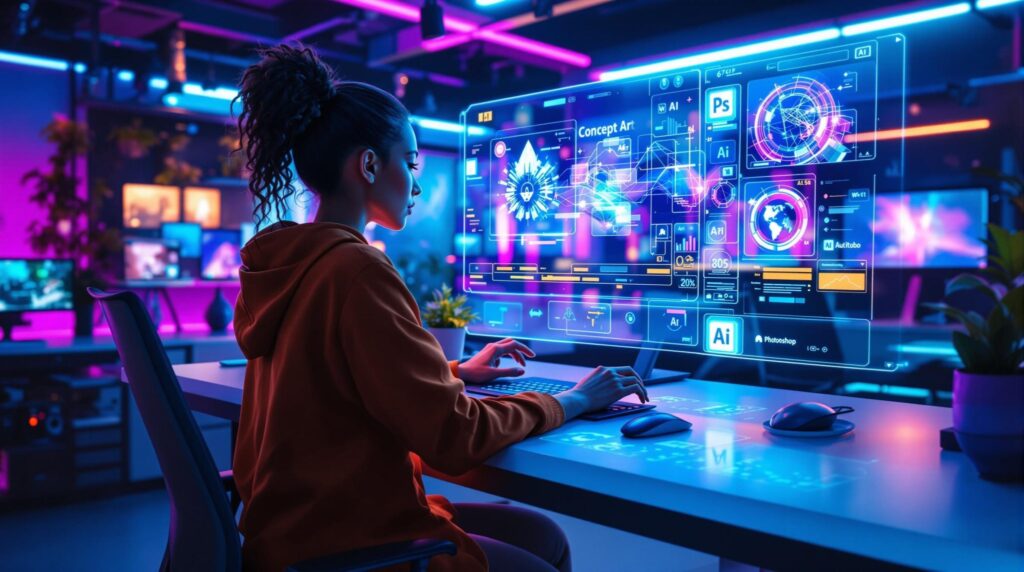
The creative industry is evolving quickly, and artificial intelligence is becoming a powerful tool for professionals in visual design. For every graphic designer, staying updated with new technologies can help improve productivity, creativity, and workflow efficiency. Instead of replacing creativity, artificial intelligence can support designers by simplifying repetitive tasks and expanding creative possibilities.
Today, many designers use AI tools to generate ideas, refine visuals, automate processes, and produce high-quality design content more efficiently. Whether someone is an experienced graphic artist or a beginner learning art and graphic design, understanding how AI can assist the creative process is becoming increasingly important.
This guide explores practical ways designers can integrate AI into their workflow while maintaining originality and creative control.
Understanding the Role of AI in Graphic Design
Artificial intelligence is changing the way digital designs are created. Instead of manually completing every step, designers can now use AI tools to accelerate certain processes.
AI used for design tasks can assist with:
- Generating visual concepts
- Creating layout suggestions
- Enhancing images and graphics
- Automating repetitive design work
- Providing design recommendations
These capabilities help designers focus more on creative thinking and strategic decisions rather than spending excessive time on technical adjustments.
Why Graphic Designers Are Adopting AI Tools
Many professionals in graphics and design are adopting AI tools because they simplify workflow and help produce results faster.
Some of the main advantages include:
- Faster design creation
- Idea generation for creative projects
- Improved productivity
- Simplified editing and adjustments
- Access to design inspiration
These benefits allow designers to explore more creative directions while reducing time spent on routine tasks.
AI as a Creative Assistant
Artificial intelligence works best when it is used as a creative assistant rather than a replacement for human creativity. A graphic designer still controls the vision, concept, and final output of the design.
AI tools can support creativity by:
- Generating design variations
- Suggesting color combinations
- Producing simple graphic concepts
- Creating visual references
Designers can review these suggestions and refine them based on their creative goals.
Generating Design Ideas with AI
One of the most helpful uses of AI is generating initial design ideas. Sometimes designers face creative blocks or struggle to visualize new concepts.
AI tools can help by producing:
- Layout ideas
- Visual style suggestions
- Graphic design artwork concepts
- Background elements
- Color palettes
These suggestions provide inspiration that designers can modify and develop into final designs.
Creating Simple Graphics Quickly
AI tools are particularly useful when creating simple graphic elements. Instead of building every component from scratch, designers can generate basic visuals that can be customized later.
Examples of simple graphic tasks include:
- Social media visuals
- Icons and symbols
- Basic illustrations
- Background textures
- Decorative design elements
Using AI for these tasks allows designers to focus more on advanced creative work.
Enhancing Graphic Design Artwork
Another area where AI is widely used is image enhancement. Designers often need to improve image quality, remove backgrounds, or adjust visual details.
AI tools can help with:
- Automatic background removal
- Image upscaling for higher resolution
- Color correction
- Lighting adjustments
- Image restoration
These capabilities help improve the quality of graphic design artwork while saving significant time.
Improving Layout and Composition
Design composition is essential in creating visually appealing projects. AI tools can analyze layout structures and suggest improvements.
AI can assist graphic designers with:
- Aligning visual elements
- Suggesting balanced compositions
- Identifying spacing issues
- Recommending typography adjustments
These insights help designers create more polished and professional visuals.
Automating Repetitive Design Tasks
Many design tasks involve repetitive processes that consume valuable time. Artificial intelligence can automate several of these activities.
Tasks that AI can assist with include:
- Resizing graphics for different platforms
- Generating multiple layout variations
- Organizing design assets
- Exporting designs in different formats
Automation allows designers to manage projects more efficiently while maintaining consistent design quality.
Supporting Designers with Branding Projects
Branding projects often require multiple design assets, including logos, banners, and social media graphics. AI tools can assist with early concept development.
For branding work, AI may help generate:
- Logo concepts
- Color palette suggestions
- Typography combinations
- Visual identity elements
These suggestions can help a gfx designer explore multiple directions before choosing a final design style.
Finding Inspiration Through AI
Creative professionals often search for inspiration across different graphic design sites and portfolios. AI tools can analyze trends and generate visual ideas based on popular design styles.
Design inspiration may include:
- Modern typography styles
- Contemporary color palettes
- Visual storytelling techniques
- Minimalist design layouts
Exploring these ideas helps designers stay updated with current design trends.
AI in Art and Graphic Design Collaboration
Artificial intelligence is also becoming a collaborative tool in creative projects. Designers may combine human creativity with AI-generated visuals to produce unique artwork.
Collaborative workflows may include:
- Generating concept visuals using AI
- Editing and refining those visuals manually
- Combining multiple AI-generated elements
- Adding original artistic touches
This process allows designers to maintain creative control while benefiting from technological support.
Using AI Responsibly in Design
While AI provides powerful capabilities, designers should use it responsibly. Originality and ethical considerations remain important in creative work.
Responsible AI usage includes:
- Avoiding direct copying of existing artwork
- Ensuring designs remain original
- Respecting copyright and licensing rules
- Using AI as a creative aid rather than a replacement
Maintaining creative integrity ensures that design work remains authentic and valuable.
Choosing the Right Tools for Designers
Many digital tools now integrate AI features. Graphic Designers often select tools based on their workflow and project requirements.
Popular design tools offer features such as:
- AI image generation
- Smart design suggestions
- Automated background removal
- Intelligent resizing tools
Platforms such as Adobe Photoshop and Canva have incorporated AI-powered features that assist designers with everyday tasks.
These tools help streamline design processes while supporting creative exploration.
The Future of AI in Graphic Design
Artificial intelligence is expected to continue transforming the creative industry. As technology evolves, designers will likely gain access to more advanced tools that support their work.
Future developments may include:
- More accurate design recommendations
- Advanced visual generation capabilities
- Improved collaboration between AI and human designers
- Faster design production workflows
Despite these advancements, human creativity will remain essential in shaping meaningful visual communication.
Balancing Creativity and Technology
A successful graphic designer understands how to balance technology with artistic skills. AI can simplify many aspects of the design process, but the creative vision still comes from the designer.
Maintaining this balance involves:
- Using AI to support creativity
- Developing strong design fundamentals
- Continuously learning new tools
- Maintaining originality in design work
When used effectively, artificial intelligence becomes a powerful partner in the creative process.
Final Thoughts
Artificial intelligence is becoming an important tool for modern graphic designers. Instead of replacing creativity, it provides new ways to generate ideas, automate tasks, and improve design workflows.
For every graphic designer or graphic artist, learning how to use AI tools effectively can improve productivity and open new creative opportunities.
By combining artistic talent with technological innovation, designers can continue producing high-quality visual content while adapting to the evolving digital landscape.